Thursday, February 2, 2012

Meet the Sustainable Green Printing Partnership

When discussing environmental sustainability, whether it is in the printing industry or in general, there is no shortage of acronyms. Indeed, there is a veritable alphabet soup of organizations and initiatives: FSC, SFI, ATFS, ISO, PEFC … the list goes on. One, however, that is worth paying special attention to is SGP—the Sustainable Green Printing Partnership.
The SGP Partnership was launched in 2008, and at the recent Graph Expo in Chicago, announced that it was celebrating its third anniversary. The goal of SGP and the reason for its founding is simple: to serve as an independent third-party sustainability verification organization. Says SGP’s website:
SGP is the industry standard for the certification and continuous improvement of sustainability and best practices within print manufacturing operations.

The organization was initiated by the top trade associations Printing Industries Association (PIA), Specialty Graphic Imaging Association (SGIA), Flexographic Technical Association (FTA) and the National Association of Printing Ink Manufacturers (NAPIM). Before its creation, there were no boundaries or parameters set as to what defined a sustainable printing operation. “Green” products were available, but this did not address the actual manufacturing process.
SGP provides a benchmark for print facilities’ sustainability endeavors. Its criteria covers the Product, input materials used to product products such as substrates, inks and coatings; the Process, the manufacturing process involving press equipment and supporting technology; and the Envelope, the facility in its entirety, its energy consumption, employees, and supporting activities.
While paper-based chain-of-custody certification organizations like the Forest Stewardship Council (FSC) and the Sustainable Forestry Initiative (SFI) certify that paper and other forestry products have been grown and harvested sustainably, SGP certification looks at the entire commercial printing facility and the printing process as a whole. The SGP website has detailed information on the steps required to become certified, but, in a nutshell, SGP auditors look for and at:
  • The establishment of a sustainability committee and a sustainability policy on the part of the facility.
  • The printed product: how it was designed and the “input materials” (consumables, etc.) that were used to create it.
  • The printing process: how those input materials were converted into a finished product—including by-products that have an environmental, health, and/or safety impact.
  • The facility itself, or what is referred to as the “envelope”: the building and associated grounds, including water, land, and other natural resource usage in addition to other functions at a facility.
  • Local laws: does the facility comply with all relevant local, state/provincial, and federal environmental and employment laws?
SGP has developed a comprehensive set of metrics to take all of these items (and more) into account and measure a plant’s progress toward certification worthiness. SGP also requires annual progress reports; sustainability is a process, after all, not necessarily a final destination.
The auditing process can take anywhere from six to 12 months, but can be shorter or longer depending how far along the facility already is in meeting SGP’s criteria for sustainability. SGP also certifies a wide variety of different types of printers—digital, offset, flexo, etc.
To date, 36 North American printing companies have been certified, and four more are currently in the process of being audited. Admittedly, SGP got off to a rough start, having launched in the midst of the Great Recession (not exactly the most propitious time to start a new initiative), but as the economy began to improve (albeit slowly), and printing companies saw business get a bit better, interest in SGP certification started to pick up.
Driving this, said Gary Jones, Vice Chair of the Technical Advisory Committee for SGP, in a press conference held September 12 at Graph Expo, has been print customers approaching printers with specific standards they need to meet. “One of [PIA’s] members is looking to be able to print for a large retail organization [which] handed them two things they have to meet: they had to meet the quality standards for printing, and they had to meet environmental standards.” As print buyers increasingly need to boost their own green credibility, so, too, do they need to ensure that their vendors and suppliers are sufficiently sustainable. As a result, SGP can serve a valuable role in verifying and certifying that a facility is truly run in an environmentally sustainable fashion.
SGP has also launched a new series of educational videos on its website that explains the certification process and the benefits of certification. The site also offers print buyers and others a directory of certified printers.
As sustainability becomes a more important issue for business across the economy, they will increasingly need to green their own supply chains, and a certification like SGP is one rigorous way that printing companies can prove themselves “greenworthy.” More importantly, it also goes no short distance toward showing that print is an environmentally sustainable and friendly medium—something that is desperately needed at a time when electronic media are perceived as far greener.  

Richard Romano is managing editor of WhatTheyThink’s Going Green, and is a writer and analyst for the graphic communications industry.


Source

Ricoh and Heidelberg Announce Global Distribution Contract for the RICOH Pro C901 Graphic Arts Edition

When I joined Ricoh’s Production Print business unit I knew it was going to be an exciting ride. And I was right. Created as part of a corporate priority to expand its presence in the production printing market,  Ricoh had been investing in the production printing infrastructure for several years with the acquisition of Lanier in 2001, the acquisition of Hitachi Printing Solutions in 2004, the acquisition of IKON, and the acquisition of IBM Printing Systems Division, now InfoPrint Solutions Company, which was completed this past summer. This initial strategic plan provided our newly formed Production Printing unit with a comprehensive portfolio of affordable production solutions and some of the best, most experienced people in the industry right from the start. And the excitement hasn’t stopped.
Ricoh has announced an agreement with Heidelberg enabling Heidelberg to sell the RICOH Pro C901 Graphic Arts Edition, as well as appropriate future production printing offerings in Ricoh’s pipeline. Heidelberg will distribute the RICOH Pro C901 under the Ricoh brand, with Ricoh services and support. The global strategic cooperation will start in April 2011 with a phased rollout. The first markets will be UK and Germany, and other geographies to follow. This agreement is yet another step that strongly supports the Ricoh strategy of strengthening its position as a major player in production printing worldwide, and demonstrates Heidelberg’s confidence in Ricoh’s digital technology.

The RICOH Pro C901 is the perfect solution for commercial printers wanting to meet the growing digital printing needs of their customers. With its remarkable image color and consistency, and the ability to handle a broad range of substrates it is the ideal production system for print service providers seeking “offset quality” results, variable data digital printing capabilities, all at an affordable price.
As a company, Ricoh continues to respond to the rapidly changing dynamics of print production by offering production customers a fresh, affordable alternative to the choices that have been available to them in the past. In times where it is important to move forward, our rich and growing portfolio of solutions, partners and services continues to deliver on our commitment to be the production printing business partner of choice. Our strategic partnership with Heidelberg is another giant leap in this direction. Like I said, the excitement continues, and it’s really an exciting time to be part of what is happening at Ricoh!  Keep an eye out for Ricoh as we continue to show our commitment to the production market!

7 Reasons to choose RICOH Aficio 2045G & 3045G

After the poor across the world during the period of photocopying technique 17 years, we are confident will be a new type of engine was really strong and very simple to install and dismantle the technology is actually just in front of the other brands.
Namely RICOH Aficio 2045G and 3045G that really we've tested it both in the stability of the quality of the copy machine and heat resistance. We have shown in a single event in Bali for 10 days full machine operates 18 hours / day, and during that time was able to make as many as 210,000 copies 2side so total as much as 420,000 copies making copies, with paper jam rate of less than 1%.  


As there are some strong alsan to use the type RICOH Aficio 2045G & 3045G, namely:

1.Operation is very simple
2.Low paper jam
3.Low operation cost (economical toner & long life drum)
4.No waste toner (although using the double component / use developer)
5.Simple in unloading the spare pairs (such as drums, developing units, etc.)
6.Technology similar to the output current copier
7.Feeder tray is very durable (long life)

Among the advantages possessed by the RICOH Aficio 2045G & 3045G which impress us is very simple in a pair of spare parts and unloading, no waste toner, paper clock a little and low operational costs.

Modern Office Method


Thursday, October 13, 2011

Ricoh AF 1060 / 1075

Versatile Document Management ...
Copy/Print Systems

RICOH AF 1060/1075 Designed to support the document workflow and productivity needs of today’s networked office, Central Reprographics Department and Print-on-Demand environments.
The Aficio® 1060 & 1075 systems offer complete scanning and document management to ensure seamless, uninterrupted workflow for on-demand print production and network connectivity at 60 & 75 ppm. Plus, offer a host of highly advanced finishing capabilities for professional output.

The TOTAL SOLUTION DIGITAL

Advanced digital technology empowers the Aficio 1060 & 1075 to handle your most demanding business applications.
One Pass Duplex Scanner maximizes productivity like never before!
  • True 1,200 dpi resolution
  • 8,300 sheet total paper capacity
  • 100-sheet Automatic Document Feeder
  • Scan Once, Print Many
  • Scan and Print at speeds of 60 and 75 images  perminute, respectively 
  • Covers, Tabs, Chapters, Collating, Page Numbering, Stamping,  Stapling or Punching
  • A large, user-friendly Touch Panel Display 
Smart Document Management Ready to take on high volume copy/print jobs, the Aficio 1060 & 1075 provide total control over the input, management and output of your mission critical documents. Enhanced scanning capability (optional) brings versatility to an all-time high, integrating hard copy documents into digital networks.
From the Aficio 1060 & 1075’s control panel, you can scan documents to e-mail for distribution when the Printer/Scanner Kit is installed.


Get Connected...
Bring the advanced Printer Kit (option) on board to dramatically increase your document processing power and streamline your local or network printing applications.
You’ll benefit from exceptional 60 or 75 ppm laser printing, superior true 1,200 dpi image quality, along with sophisticated finishing to satisfy all job requirements!
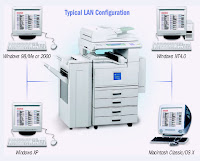
PCL5e/PCL6 is standard, assuring utmost compatibility with all major PC applications, and PCL drivers are available for Windows 95/98/2000/XP/ME and NT 4.0. An optional Adobe® PostScript3 module offers drivers for advanced applications, plus the latest Macintosh OS.

***** Recondition Machine *****


RICOH AF 2016/2020

Document Managers with Unparalleled Output Quality

Image Quality, Ease of Use & Reliability All in One
Office basics: every day you print files, copy documents and send faxes. What if one reliable and user friendly device could help you take care of all these tasks, providing excellent quality output? A smooth office workflow within reach! Ricoh’s Aficio™2016/2020/2020D make it all happen. No need to spend your budget on bulky stand alone devices. These user friendly systems provide you with high speeds (16/20 ppm), reliability and superior office print quality. The Aficio™2020D even offers standard duplexing. From printing a simple file to sending faxes over the Internet and scanning to e-mail, these devices guarantee an optimised workflow from beginning to end.
And even with this wealth of functionalities, the Aficio™2016/2020/2020D remain very easy
to operate and maintain: the productive office partner you have been looking for!

Your Entire Workflow Taken Care of
To reach the productivity levels you are looking for, a smooth running document workflow is essential. The Aficio™2016/2020/2020D will put you one step ahead of the competition.
Not only do you acquire a compact all-in-one device, but you will enjoy the benefits of top 
quality output, user friendly operation and optimal network connectivity.

Superb Quality Output
Thanks to a newly developed image processing technology, the Aficio™2016/2020/2020D deliver state-of-the-art image quality. Featuring ‘scan once, copy many’, originals are
scanned only once, stored into memory and reproduced from there. No matter how many sets you make, output quality remains immaculate.

Improved Productivity
With a first copy speed of 6.5 seconds and short warm up time of only 15 seconds, waiting by the machine is history. Continuous speeds at 16/20 ppm are guaranteed, also when duplexing.

Advanced Device Monitoring
Via Web Image Monitor, both users and network administrators can monitor and check the status of networked peripherals through common web browsers. In addition, network administrators can configure devices and set user privileges.

High Speed Faxing
With a modem speed of 33.6 Kbps and fast transmission speed of 3 seconds (2 seconds with JBIG), these systems deal swiftly with all fax traffic. 150 speed dials and 32 quick dials are available for extra time saving. To increase efficiency, incoming faxes as well as transmission reports can be forwarded as e-mails. For frequent long distance communication, the Internet fax feature reduces costs while enhancing your communication capabilities.

Handy A3 Printing
By adding the printer/scanner module, you obtain a complete A3 printer. Detailed diagrams, proof prints and insurance forms are just some of the A3 applications you often use. No need to invest in a separate A3 printer, simply use the Aficio™2016/2020/2020D.

Connect to Any Network
The printer/scanner option integrates with virtually any network environment and comes standard with Ethernet 10 base-T/100 base-TX and USB 2.0. For optimum connectivity, FireWire (IEEE 1394), Bluetooth, parallel port and Wireless LAN are available too.

Easy Address Book Management
You can now manage and download your e-mail and fax address book either directly from the operation panel or through your web browser using SmartDeviceMonitor™/ Web Image Monitor. You can add new contacts, organise the address data or export the entire address book.

Environmental Friendliness
The Aficio™2016/2020/2020D reflect Ricoh’s commitment to the environment through the usage of toxic free materials*. Thanks to Ricoh’s QSU (quick start up) technology, the systems boast an extremely short warm up time and recovery time. To save on paper and costs while safeguarding the environment, you can use the Aficio™2020D for duplex printing and copying. It also combines 2 or even 4 pages on a sheet to further reduce paper usage.

All-in-one Workflow Efficiency

Your business is growing and your future needs might be different from your current ones. Not to worry: with the Aficio™2016/2020/2020D you obtain a customisable document manager, upgradeable as you wish, at any time. Add the printer/scanner module or opt for advanced fax functionalities: the choice is yours.


Customised to your Needs
Copier based, yet with the power to become fully equipped multifunctional systems: the Aficio™2016/2020/2020D are designed to incorporate print, fax and scan functionalities.
As a result, the systems remain extremely compact, meeting your precise needs; no more,
no less. Benefit from their all-in-one functionality, generating time and cost saving.

Easy One Click Printing
Ricoh’s unique printer language RPCS™ stands for fast, easy and efficient printing. With its icon based interface, any print job – no matter how complex – is only one click away. Most common print jobs are pre-defined under specific icons and you can save your own print settings under a personal icon for future one click use. As a result, entering print commands takes only seconds so you can exploit the full capabilities of your printer. In addition, using RPCS™ can considerably increase productivity.

Fax Directly from PC
Using the Aficio™2016/2020/2020D as a fax system offers you a wealth of benefits. Via the
LAN fax function, you can send fax messages directly from your own (networked) PC. This
reduces the number of steps, saves time and ensures better output quality at the receiving end. Especially for long distance faxing, Internet faxing has major advantages. It not only reduces the Total Cost of Ownership, but also helps you streamline your fax distribution flow.

Efficient Document Distribution
To further optimise the document flow, you can digitise documents and send them over the network via ScanRouter™ Lite or directly to the recipient’s PC via ‘scan to e-mail’.
Via this function, scanned files can be sent to any e-mail address in the world. All data is sent over the Internet. For optimal convenience, frequently used addresses can be stored manually or automatically in the systems’ memory.

***** Recondition Machine ***** 


Ricoh AF 2035/2045

Drive Office Productivity ...
to New Heights

The Aficio 2035 & 2045 are the cornerstones of any
successful office operation or workgroup environment
for document production and distribution.

Featuring superior 600 dpi image quality at 35/45 pages-per-minute, the Aficio 2035 & 2045 offer unmatched versatility in a compact design. When it comes to finishing, choose from three finishing options to meet your specific needs, including multi-position stapling, hole punching, or even saddle-stitch booklet finishing.

Connecting the Aficio 2035 & 2045 to your network enables you to get the most from your investment. As a printer, users have complete access to all imaging and document finishing on the Aficio 2035 & 2045. Looking for faster and more cost-effective ways to distribute paper-based documents? By using the scanning capability of the Aficio 2035 & 2045, you can digitize your paper documents for electronic distribution.

Add the Fax option and configure the Aficio 2035 & 2045 with up to three G3 lines for simultaneous fax transmission and reception.

Streamline workflow. Reduce costs. Speed information distribution. Manage system status remotely. Do it all at one device and drive your office productivity to new heights with the Ricoh Aficio 2035 & 2045.

Server-less Scanning
Paper documents are efficiently scanned at speeds of up to 49 pages per minute at 200 dpi.
Once captured, images are temporarily stored in the system’s standard 20 GB Document Server, and then sent directly to programmed destinations. This innovative server-less model eliminates the need to dedicate a PC to act as a server for scanned images while saving space, money, and allowing you to allocate computer resources elsewhere within your organization.
  • Execute pull scanning tasks with a TWAIN-compliant driver installed on a user’s PC.
  • Embedded Scan to E-mail capabilities. 
  • Every user has complete control over scan settings such as resolution, original size and type, image density, and destination(s) for every job.
  • Support for a wide selection of industry standard file formats including TIFF, TIFF-F, Multi-page TIFF, PDF, and JPEG ensures digitized documents can always be opened and read by recipients. 
In any configuration, the Aficio 2035 & 2045 bring powerful copying capabilities to your office, including:
  • Scan Once, Print Many with 64 MB RAM standard (expandable to 320 MB).
  • Fast and easy job programming—intuitive control panel design.
  • One-touch operation with customizable shortcut keys.
  • Automatic Paper Selection and Tray Switching, Automatic Exposure, Automatic
    Zoom, and Duplexing for up to 999 sets.
  • Stamping and Numbering features to add digital data to copy sets.
  • An 80-sheet ARDF to efficiently process one- or two-sided originals up
    to 11” x 17”. 
***** Recondition Machine *****


Ricoh AF 1055

FOR MAXIMUM PERFORMANCE

Acquiring the right high quality digital imaging system – one that’s powerful enough to SPEED THROUGH copy/print jobs of all complexities while able to stand up to your ever expanding network needs – can make all the difference between merely getting the job done, and getting it done exceptionally well!

Featuring 55 PAGES PER MINUTE plus an abundant 7,750-sheet total paper supply and professional finishing, the Aficio 1055 is all your business will ever need to create consistent superior quality output, whether you’re printing multiple sets or making
single copies.

Unsurpassed digital technology ensures ultimate image quality, productivity and reliability at significant time and cost savings for any department and business,
especially when it’s a Ricoh.

The Digital Networked Solution
 
  • 100-Sheet Automatic Reversing Document Feeder
  • 7,750 Sheets of Paper
  • Scan Once, Print Many
  • 55 Pages per Minute
  • Covers, Chapters, Page Numbering,
    Stamping, Stapling and Hole Punching
  • Large Touch Panel Display
  • Document Server Capability
High Speed Network Printing

Full-service 55 PAGE-PER-MINUTE performance and total document production convenience are yours with the affordable Aficio 1055, featuring laser output up to 2,400 x 600 dpi with edge smoothing. Support is standard for PCL6/PCL5e and an option for genuine Adobe® PostScript® 3™, ensuring compatibility with all of today’s most popular applications.
Booklet printing, slip sheets, two-sided printing, covers, stapling, hole punching or watermarks are just some of the options available with a point and click on the driver.

Manage Your Documents

The Aficio 1055’s highly productive standard DOCUMENT SERVER features leading-edge technology that provides seamless operation and ultimate flexibility for document processing. The sophisticated Document Server creates a suite of diverse, innovative
solutions to boost printing productivity. Not only can you set various printing conditions such as Covers, Chapters, Stamping, Stapling and Hole Punching, you can also perform a host of other capabilities including:
  • File Merge Printing
  • Print-on-Demand
  • Sample Printing
  • Scanned Page Printing
  • Locked Printing
***** Recondition Machine *****

Ricoh AF 3035/3045

State-of-the-art Productive
Document Processors

Productivity, Security & Efficiency
for Any Office Environment
How smooth would your office workflow run if you could use a central office system taking care of all document production and management? Designed to do exactly this, the Aficio™3035/3045 make sure you save time, money and space. Opening up new possibilities for enhanced communication, paper- and server-less faxing, ‘scan to NCP’ and professional output finishing are but a few of their impressive capabilities. Their network connectivity is flexible, their document management and web based device monitoring impressive. And of course… these user friendly multifunctional devices include superb print, copy, fax and scan functionality as well! The Aficio™3035/3045 are all-round office solutions that will keep you in front for years to come.

Multiply your Productivity

User Friendly Multi Page Input
To copy or scan large jobs and documents up to A3 size in one run, the Aficio™3035/3045 boast a fast feeding 80-sheet ARDF. Books and magazines, on the other hand, can be copied 
straight from the platen glass.

Versatile Finishing
To keep your professional document creation in house and produce your own presentation material, reports and folders, the Aficio™3035/3045 can be equipped
with a 1,000-sheet finisher (SR790) or 2,500-sheet multi-tray finisher (SR880). You can even create high quality booklets if you opt for the 1,150-sheet booklet finisher (SR890).

Top Productivity
With output speeds of 35/45 pages per minute equaling duplex speeds, no deadline is unfeasible for these systems. Warm up is incredibly fast too at 15/20 seconds while your first copy is in the output tray in 4.3/3.6 seconds. No valuable time will be wasted

Continuous Operation
Large print or copy jobs are easily taken care of by the systems’ impressive maximum paper capacity of 3,550 sheets. Refills are down to an absolute minimum. As the systems alert you in case paper or toner run out, you will be able to keep a constant status overview of your network devices.

Outgoing Faxes from your PC
Via the LAN fax function, you can send fax messages directly from your own PC. This saves time and results in better output quality at the receiving end. To reduce the distribution of printed faxes, faxes can also be forwarded by e-mail.

Incoming Faxes on your PC
Digitise your fax workflow and efficiency is yours. Converted into TIFF files, inbound faxes can be easily transmitted via the local network or forwarded to any e-mail address. As a result, the fax operator’s work is minimized

Fax/E-mail Address Book Maintenance
You can register and maintain your fax/e-mail address book (LDAP) in the Hard Disk Drive (HDD) directly from the operation panel or through Web SmartDeviceMonitor™/Web Image Monitor. New contacts can be added, address data can be organised or the entire address book can be exported.

Straightforward & User Friendly
The Aficio™3035/3045 stand for efficient document handling. The systems’ large LCD touch screen intuitively guides you through all copy, print, fax and scan jobs. In fact, all of Ricoh’s multifunctional devices operate in the same way: if you can use one system, the others present no surprises.

Advanced Device Monitoring
Using Web SmartDeviceMonitor™, the status of networked peripherals can be monitored and checked through web browsers. Additionally, IT managers and network administrators can set user privileges, obtain complete job statistics and restrict usage.

Excellent Network Connectivity
The Aficio™3035/3045 suit virtually any network environment. A NIB and USB interface come standard embedded in the printer controller board. For optimum connectivity, FireWire (IEEE 1394), Bluetooth, Wireless LAN and bi-directional IEEE 1284 are optionally available.

Our Earth, Our Tomorrow
Like all Ricoh products, the Aficio™3035/3045 reflect Ricoh’s commitment to the environment with the usage of toxic free materials (prohibiting lead, chromium, cadmium, as well as PVC)*. Low energy toner production adds to their environment conscious design. Significant energy savings are obtained thanks to advanced new power saving modes.

High Performance Document Handling
To meet your demands, now and in the future, upgradable office equipment is essential. The Aficio™3035/3045 have it all:
they are fully customisable and offer a variety of new, exciting benefits. With a multifunctional device that not only incorporates advanced functionalities but also provides the distribution possibilities and security you require, you have it all at your fingertips. The Aficio™3035/3045 make perfect business sense.

Unique & Custom Made
Expanding your system with a printer/scanner unit, a fax module, finishers, extra paper trays, software packages… basically anything is possible. Simply build your customised system around your workflow to suit your precise document processing needs.
Should you require extra functionality at a certain point, capabilities can easily be added.

Advanced Printing
How easy would it be if you could be assured that when you print confidential documents, they stay secret? Locked Print™ makes sure the machine keeps your document until you release it with your password. To avoid prints being left on the tray and eliminate paper waste, the Hold Print function is very helpful. Should you choose the systems’ Adobe® PostScript® 3™ option, you obtain PDF Direct Print, a handy tool to reduce network traffic and increase total productivity.

Handy Workflow Tools
To be able to handle your document workflow professionally, several document management utilities are available. You can store frequently used copy, print, fax and scan documents on the machine’s document server for re-use. Using DeskTopBinder™ Lite, you can merge documents of different formats into one file and view, print and re-distribute it all digitally.

Efficient Document Distribution
For a well-structured document workflow, distribution tools have become necessary.
If you need to send digitised files, ‘scan to e-mail’ is available. Should you need to send
large files, you can do so via ‘scan to folder’ and send up to 2 GB. As third option, ‘scan to URL’ allows you, as receiver, to check the e-mail and decide whether and when to download the file. This prevents a huge e-mail inbox and offers the opportunity to download files at a later time.

Safeguard Access & Information
As office products have turned into advanced network devices, security threats have become a major concern. The Aficio™3035/3045 offer Windows® authentication which allows a user with access to the regular network, to also access the MFP. Other authentication methods have been developed to suit any network environment. To safeguard the data on the Hard Disk Drive, a Data Overwrite Security function is
applicable. This unit ensures the hidden temporary data is overwritten with random data after completion of a job. Any security threat will be eliminated!

***** Recondition Machine *****